
AutoCAD Tips
Stretch Multiple Objects in AutoCAD (Stretch like a PRO!)
Stretch multiple objects at once in AutoCAD with the Express Tools MSTRETCH command, instead of repeating Stretch on every copy of a design.
AutoCAD Tips
Convert Units directly in AutoCAD! (Fastest Unit Conversion tool!)
Convert length, area, volume and many other units inside AutoCAD with the free CONVERTUNITS app from CAD Studio, handy for metric and imperial work.
AutoCAD Tips
Hide Layer data when DWG to PDF! (3 Simple Steps!)
Hide layer data when exporting a DWG to PDF. Turn off Include Layer Information in the Export to PDF options or in the PLOT dialog in 3 steps.
AutoCAD Tips
OSNAP Tricks! (Shift Shortcuts to Master AutoCAD!)
Speed up AutoCAD drawing with Shift keyboard shortcuts for OSNAP, OTRACK and ORTHO that temporarily switch object snaps on or off without clicking.
AutoCAD Tips
How to Set Elevations to Polyline in an Increment! Automatically!
Assign elevations to contour polylines in AutoCAD at a set interval with the ACE LISP, picking a start and end point to apply them.
AutoCAD Tips
How to Delete Layers in AutoCAD (Works for Every Layer!)
Delete AutoCAD layers that will not go away. Learn why layers resist deletion, then clean up with PURGE or the LAYDEL command and its Name option.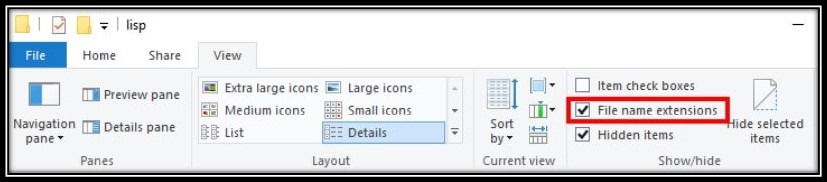
AutoCAD Tips
Accelerate Your Work with AutoLISP! (Only 3 Easy Steps!)
Start using AutoLISP in AutoCAD with no programming skills. Download a .lsp file, load it and run it in three easy steps to speed up your work.
AutoCAD Tips
Learn How to Align Multileaders like an Expert! (in AutoCAD)
Align multileaders in AutoCAD with the MLEADERALIGN command for neat, consistent callouts. Simple steps to tidy up annotations quickly.
AutoCAD Tips
Convert DWG file to Older Version (Free Solutions in 2024!)
Convert a DWG to an older AutoCAD version for free using DWG TrueView, AutoCAD Web and online converters, with the steps for each.
AutoCAD Tips
Editing Multiple Text in AutoCAD! (One-Click Solution!)
Change the style or color of stubborn MText in AutoCAD all at once using the TEXTSTRIP Lisp, which removes preformatted text properties in one command.
AutoCAD Tips
How to Import Different Maps into AutoCAD (Insert Google Maps in AutoCAD!)
Import Google, Bing and other online maps into AutoCAD with the free IRT tool, including how to load it and choose a coordinate system.
AutoCAD Tips